Your kids will actually
want to do this.
Roamschool is built to feel like an adventure, not a school lesson. Here is what your child's day looks like.
Get StartedTheir own tutor, with them at every step
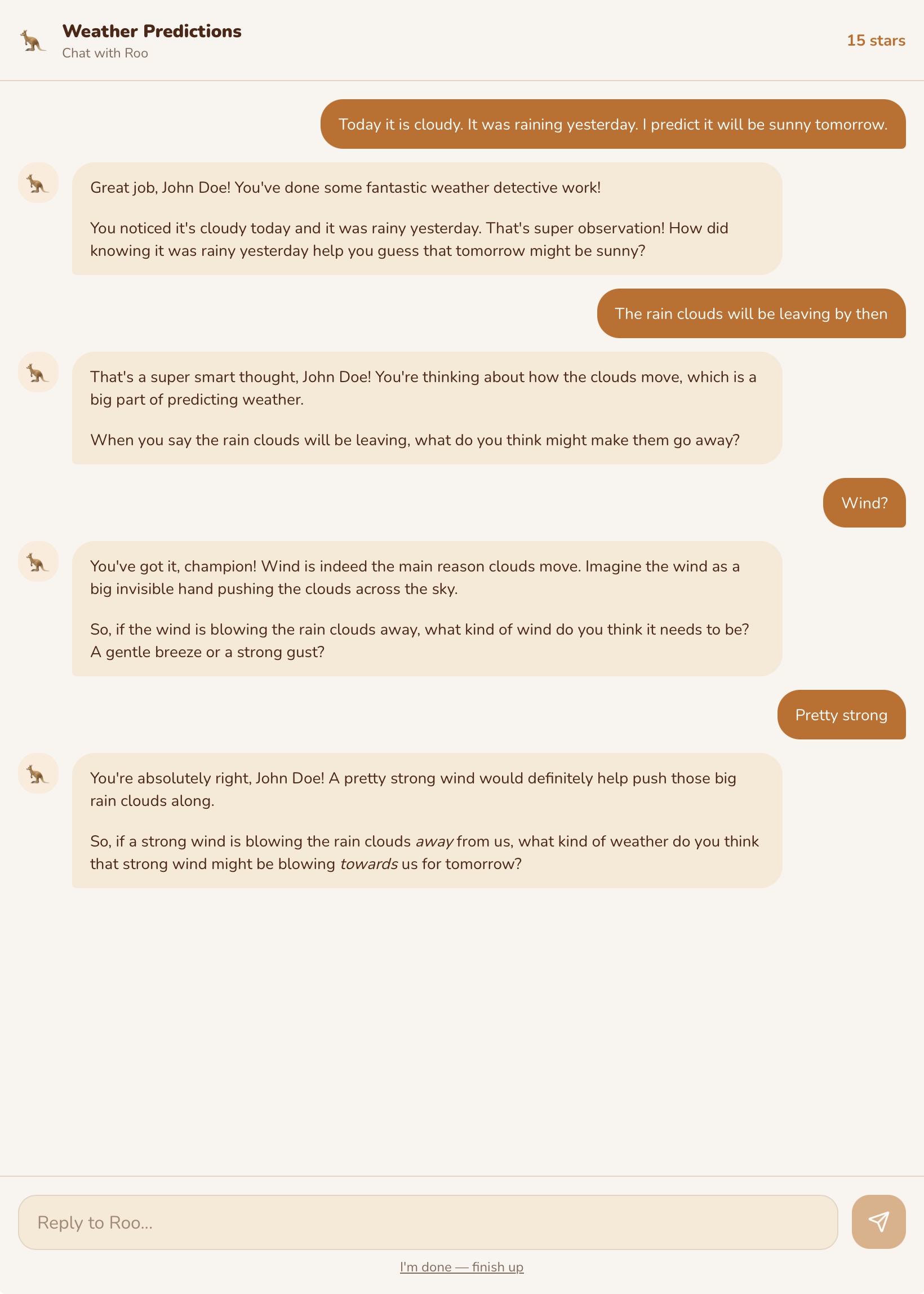
When your child opens Roamschool, they are greeted by their tutor — a character they chose themselves. Roo the kangaroo, Billie the koala, Dash the lizard, Scout the eagle, and more. This is not a generic chatbot. It is a tutor that knows your child's name, knows their level, celebrates their wins, and gently guides them when they are stuck.
The tutor is present at every point in the app — not just in the activity player. It greets them on the home screen. It briefs them on missions. It asks follow-up questions after they report back from a real-world activity. It chats with them in Ask Tutor when they have a question about anything.
Critically, the tutor adapts its entire voice and approach to the child's age. This is not just harder questions — it is a completely different tone, vocabulary, and style of encouragement.
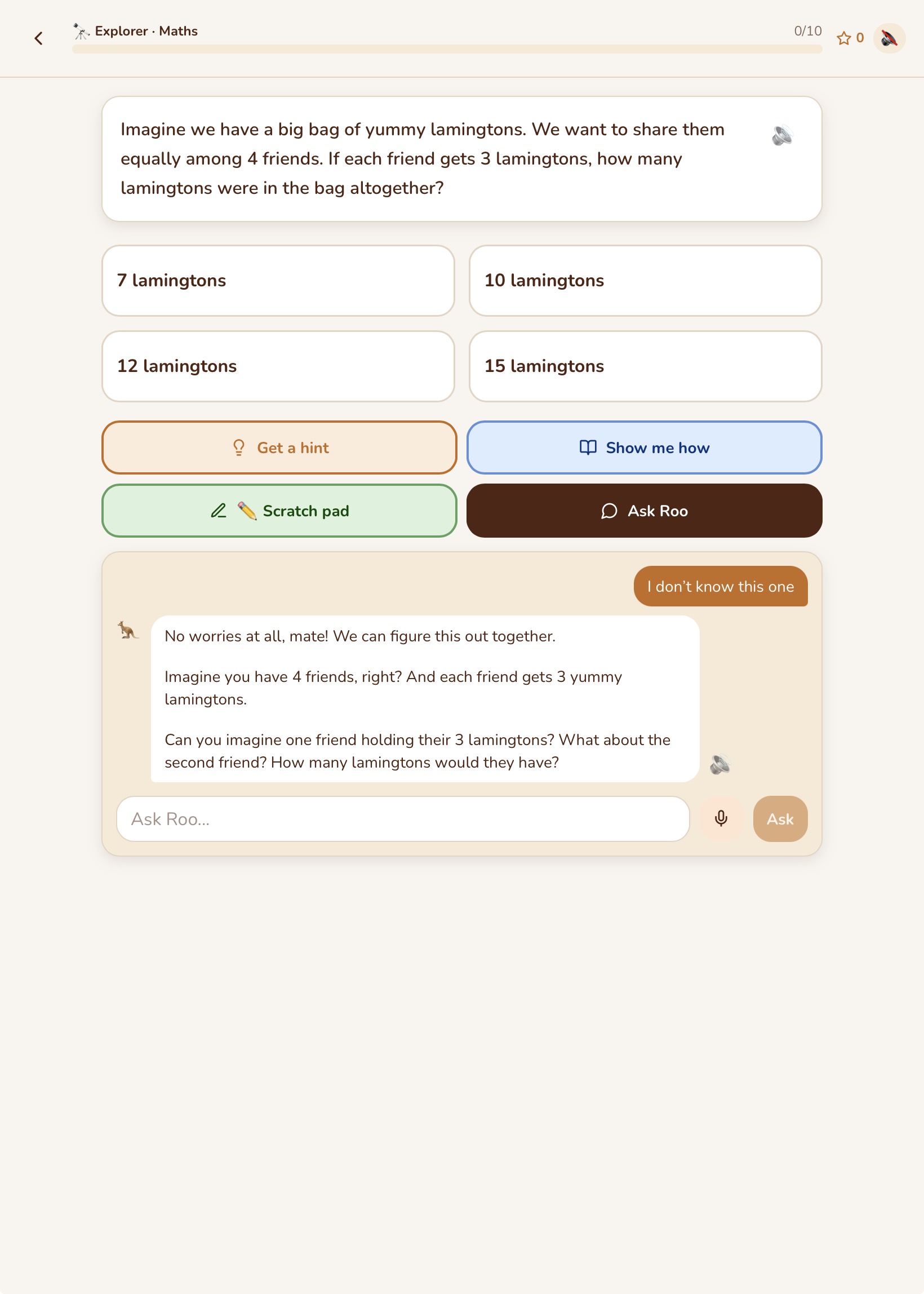
Foundation‒Year 2
Warm, playful, emoji-rich. Short sentences. Lots of celebration.
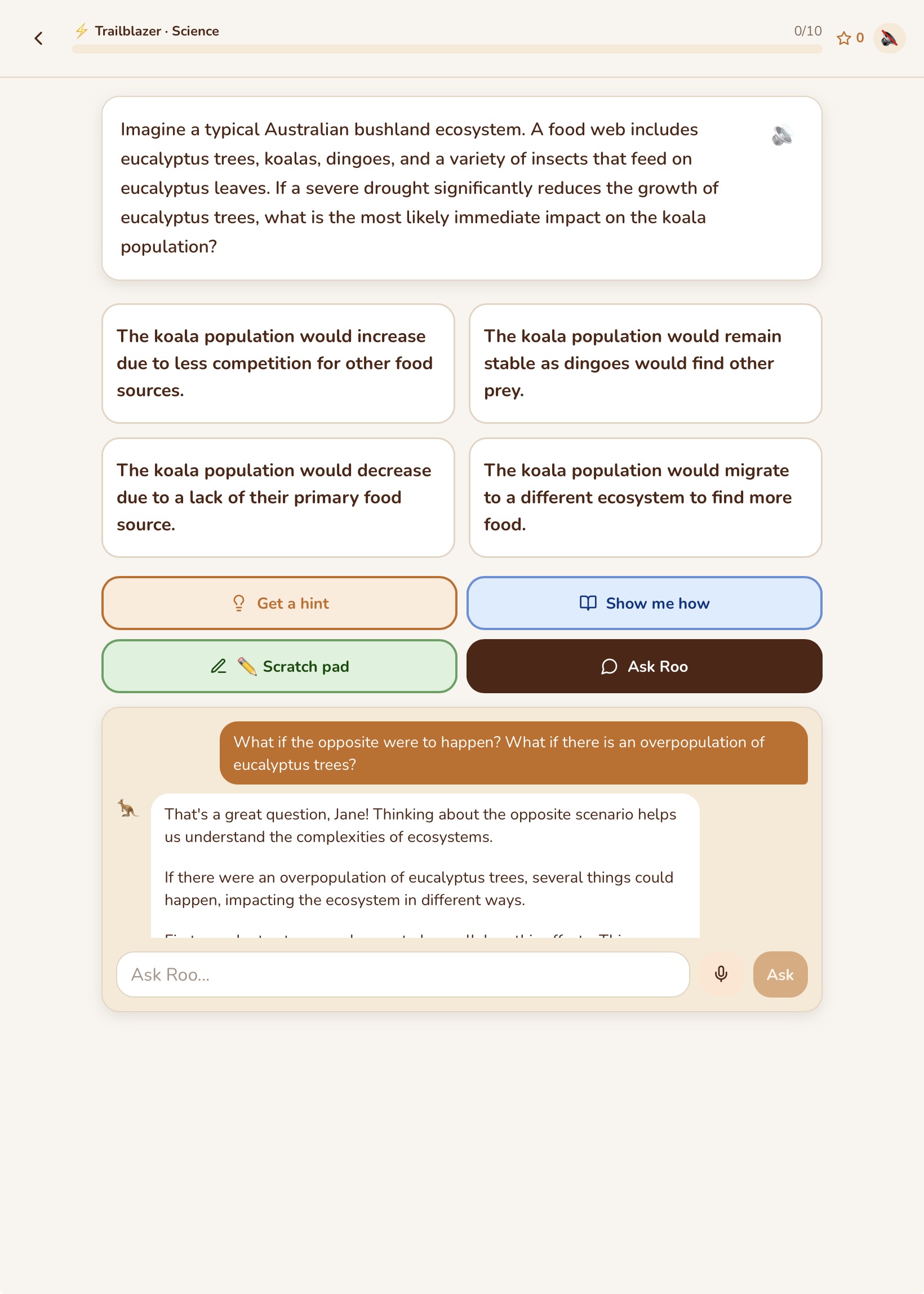
Year 3‒6
Conversational, encouraging, curious. Asks the child to explain their thinking.
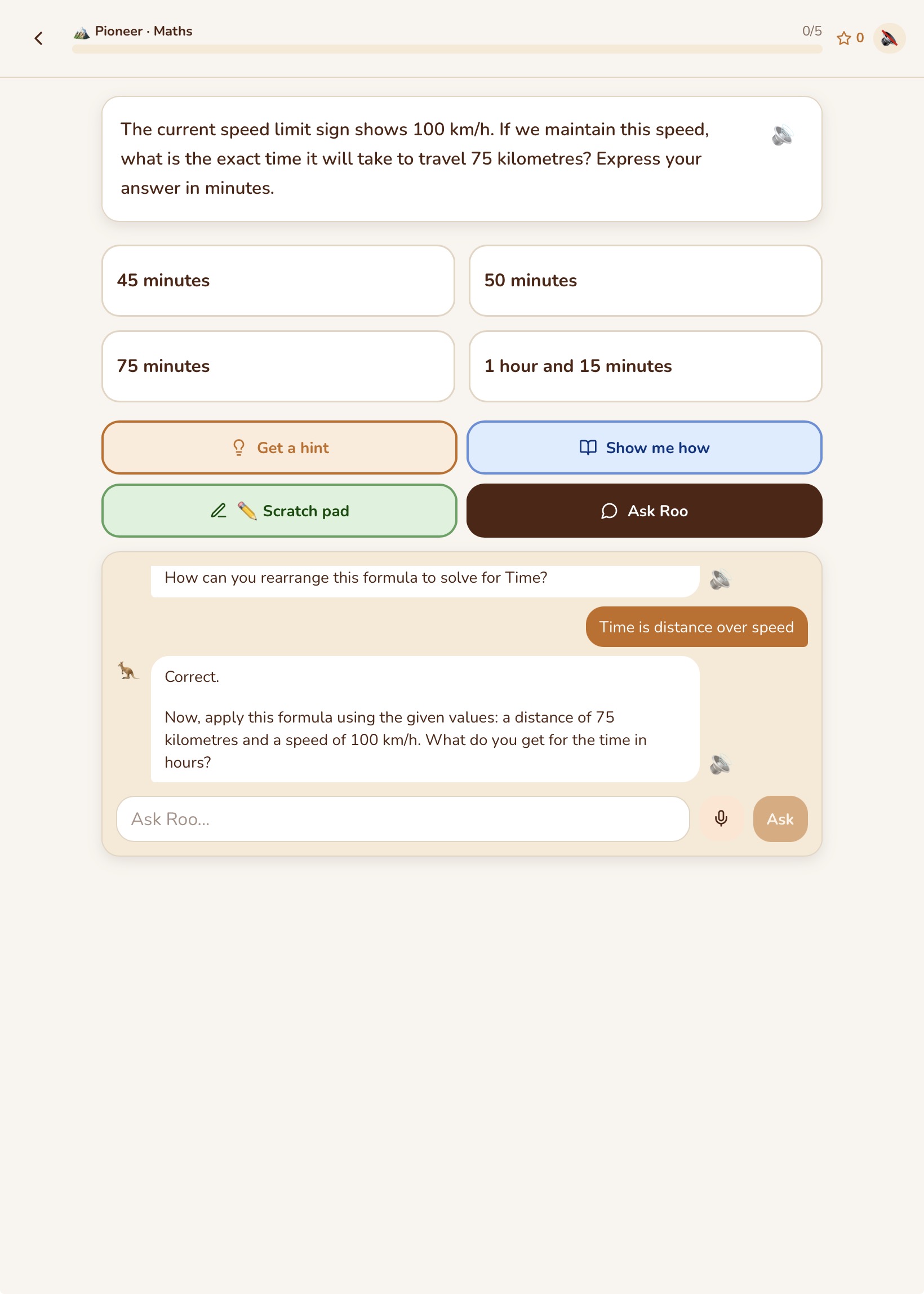
Year 7‒10
Peer-like, direct, respectful. Treats the student as capable.
The same tutor. A completely different experience at every age.
Work it out your way. Show the tutor how you got there.
Roamschool does not just want the right answer — it wants to understand how your child thinks.
The scratchpad is a built-in drawing and writing tool that appears alongside every question. Children use it to work through problems the way they would on paper — drawing diagrams, writing out steps, sketching a number line. It is especially valuable for maths and science, where working out the process is as important as getting the answer right.
When a child has done their working on the scratchpad, they can tap "Show Tutor My Working" to share it with the tutor. The tutor looks at what they did, identifies where their thinking went right or wrong, and responds to their actual reasoning — not just whether the final answer was correct. A child who got the wrong answer but used the right method gets a very different response to a child who guessed.
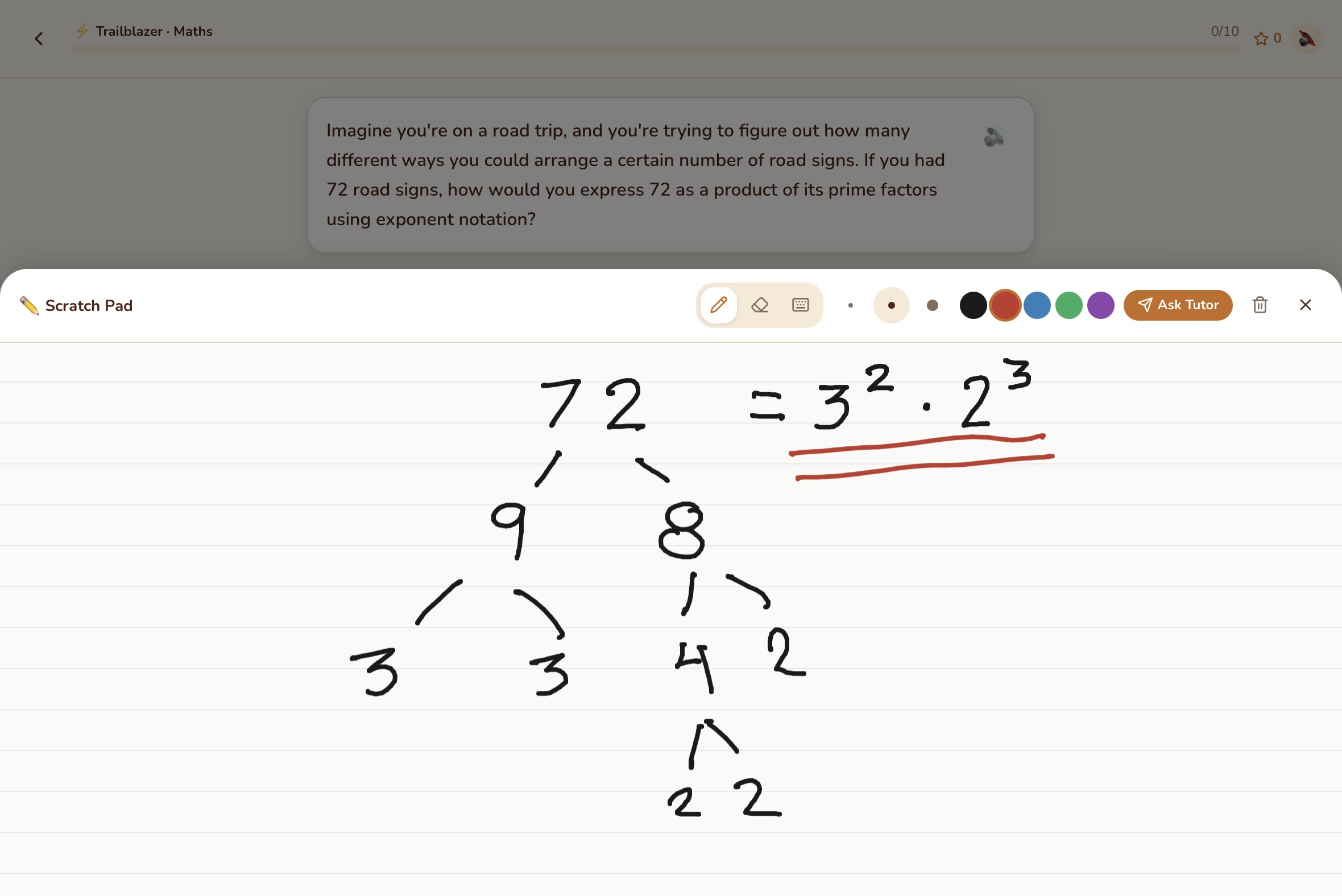
Work it out on the scratchpad
Show the tutor your thinking
When they're stuck, the tutor shows them how to think
Every child gets stuck sometimes. In a classroom, they put their hand up. On the road, they have Roamschool's "Show Me How" feature.
When a child does not understand something, they tap "Show Me How" and the tutor walks them through the concept step by step — not by giving the answer, but by showing them how to think about it. This is the Montessori Concrete → Pictorial → Abstract approach in action.
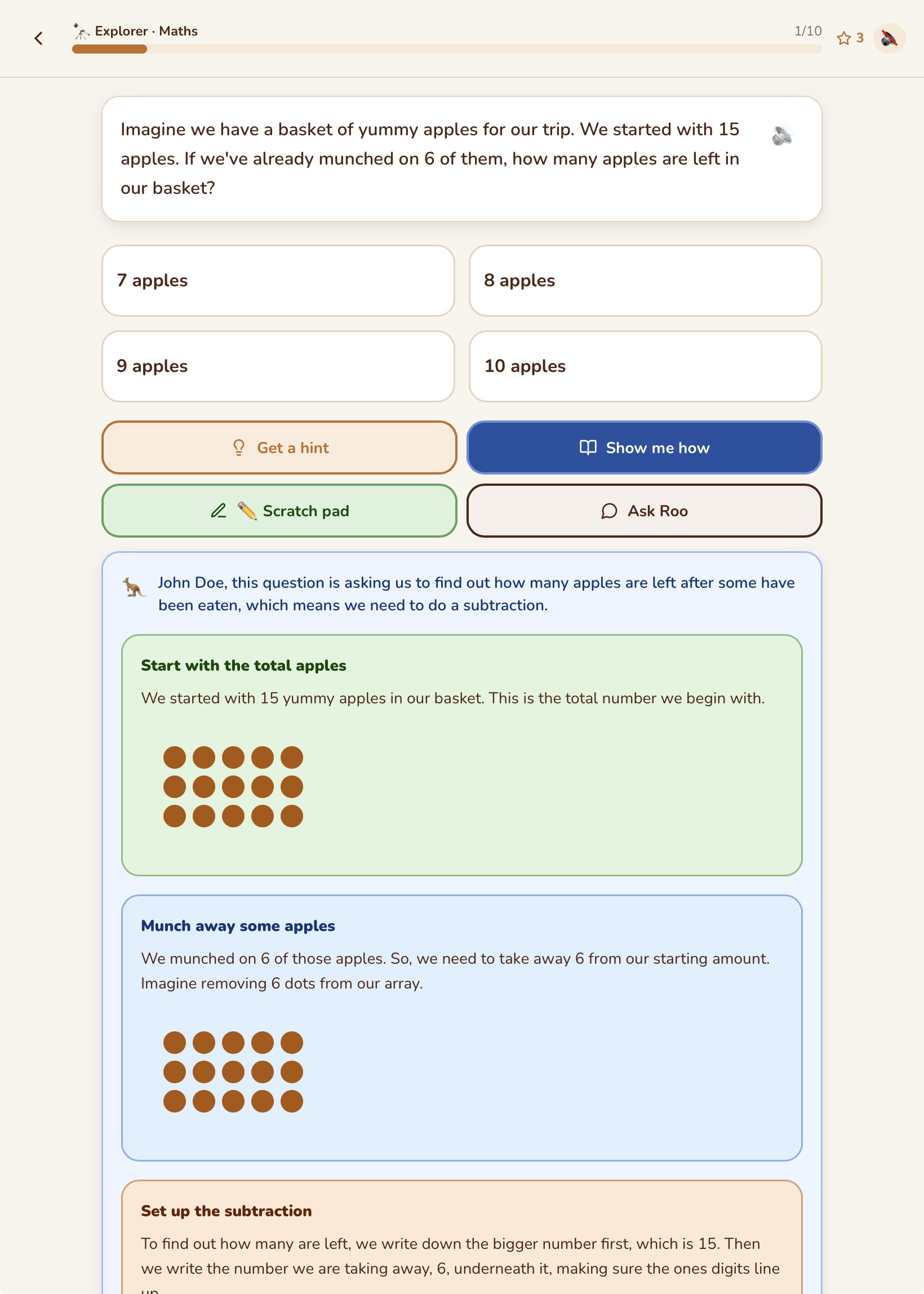
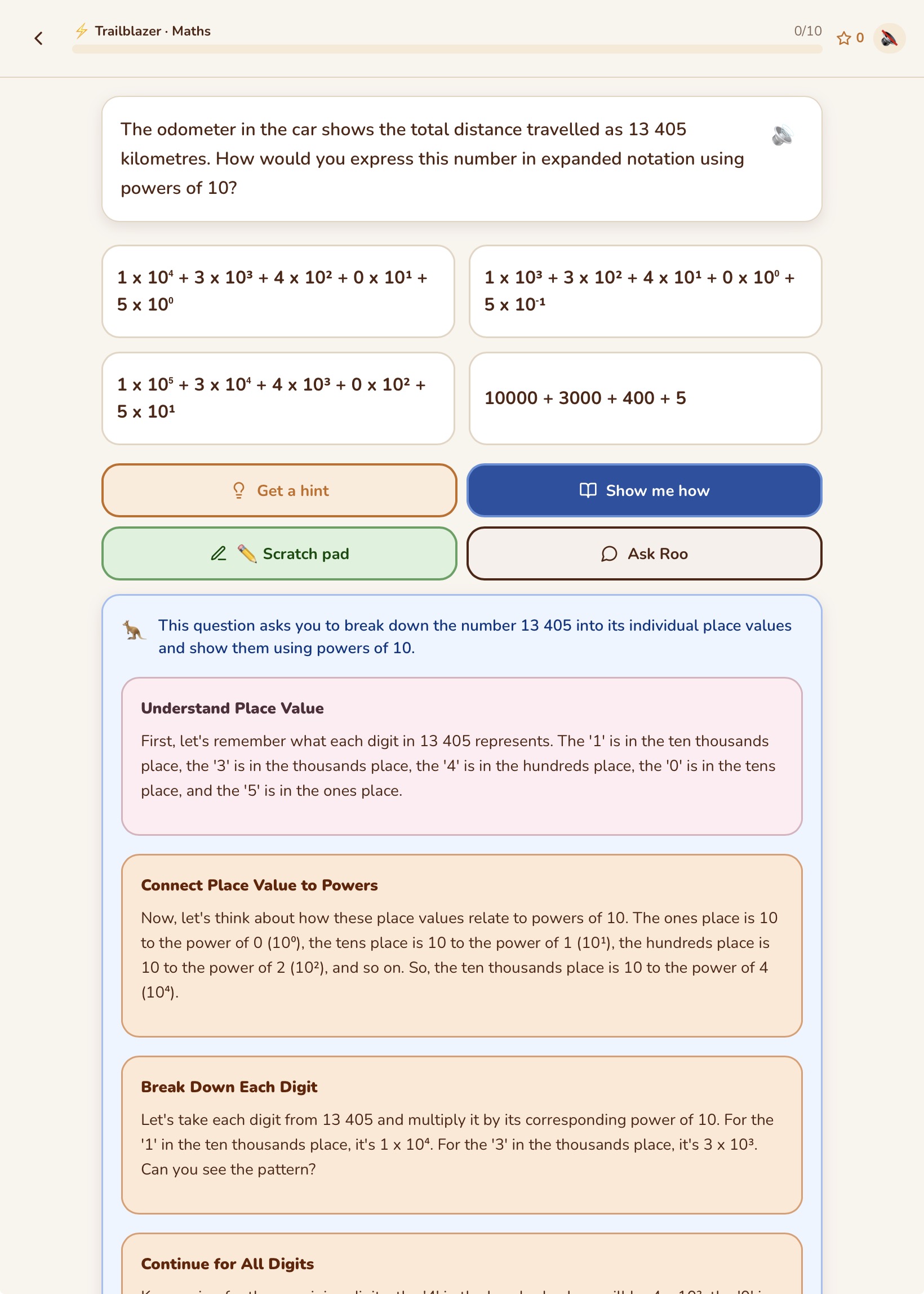
The same Montessori approach. Completely different content. Foundation to Year 10.
One app. Every age. A completely different experience.
Roamschool is not a primary school app that older kids grow out of. It is built for Foundation through to Year 10 — and the experience is genuinely different at every stage. The curriculum, the tutor's voice, the complexity of missions and projects, the Show Me How examples, and the journal prompts all adapt automatically to the child's age and working level.
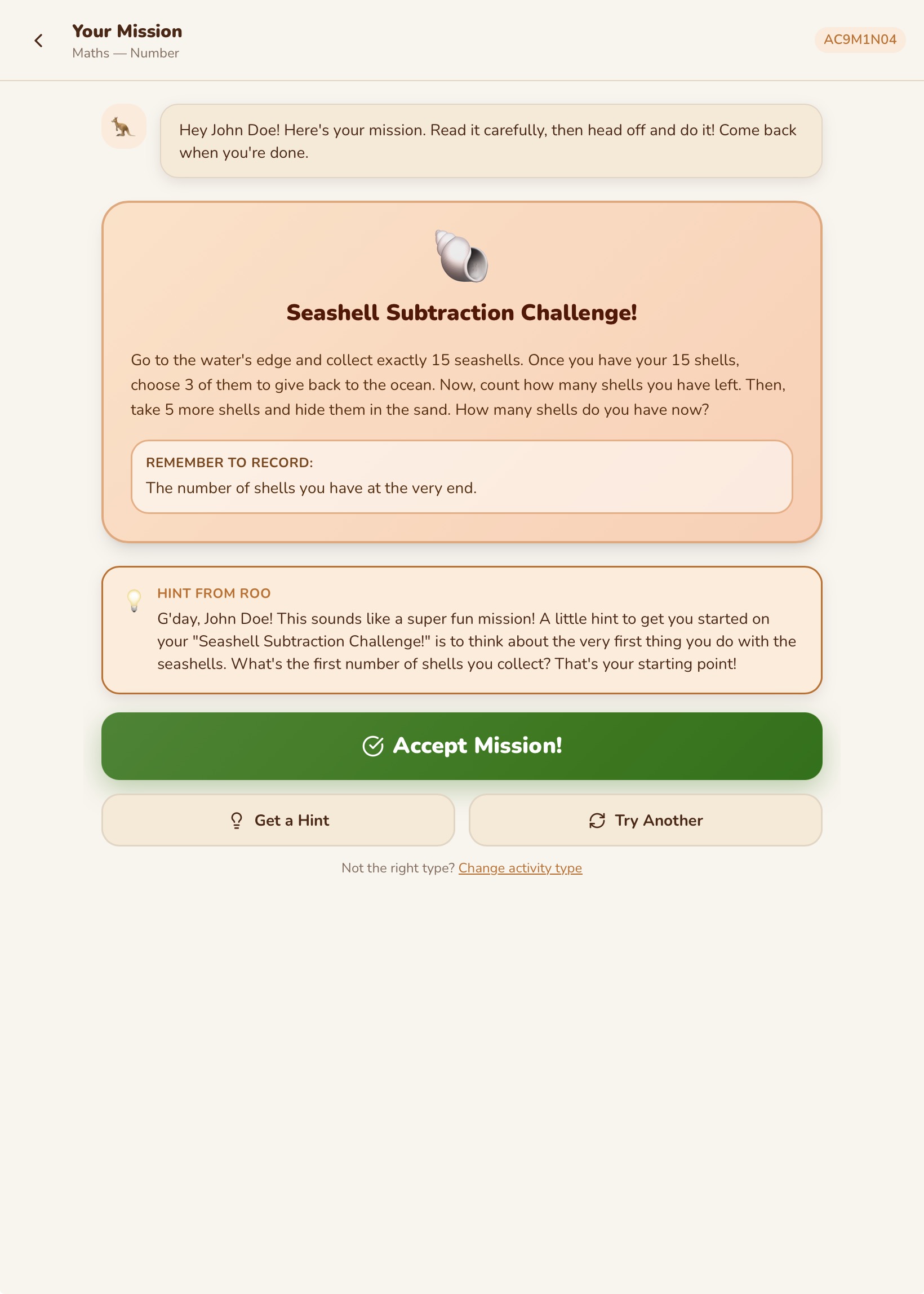
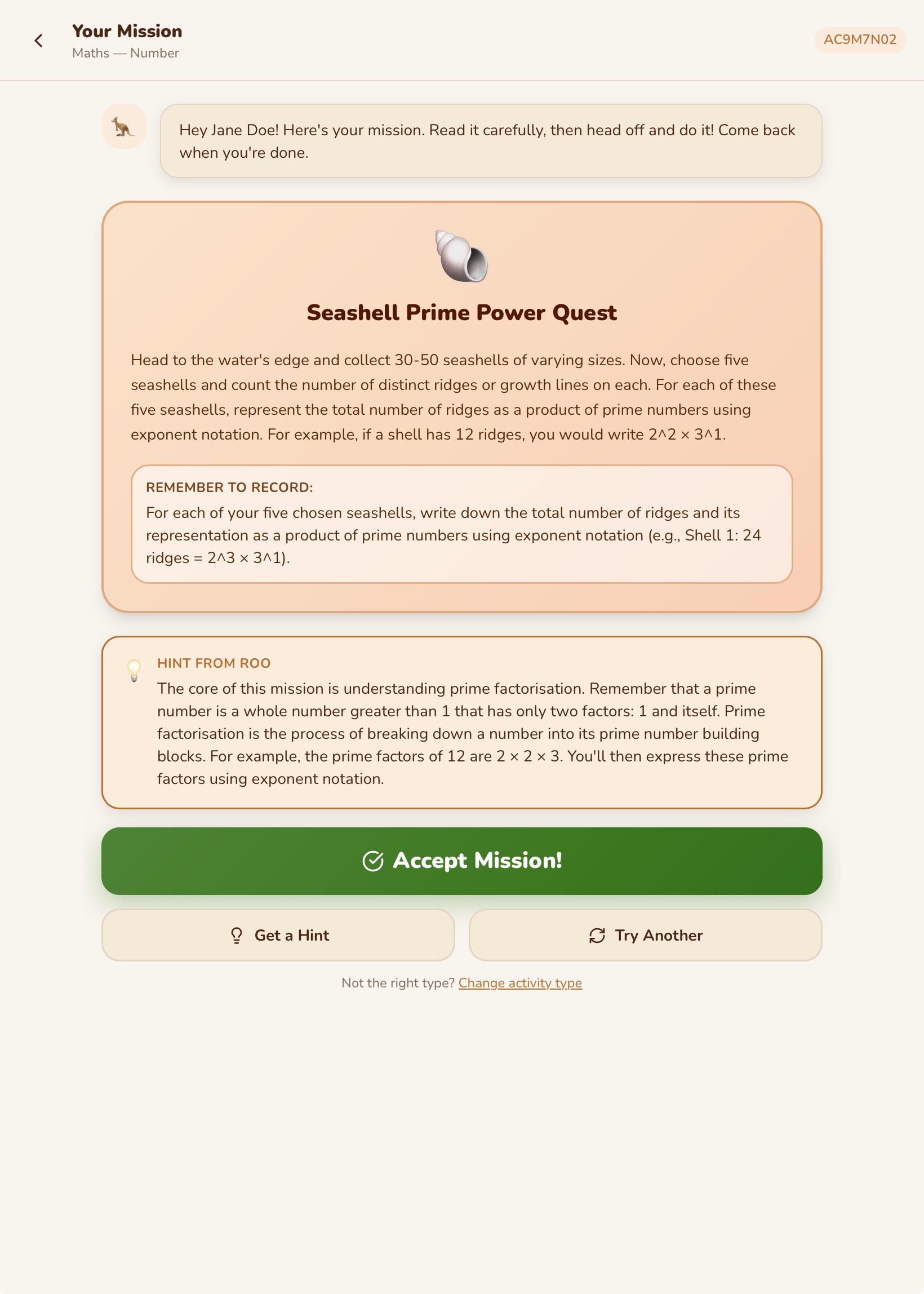
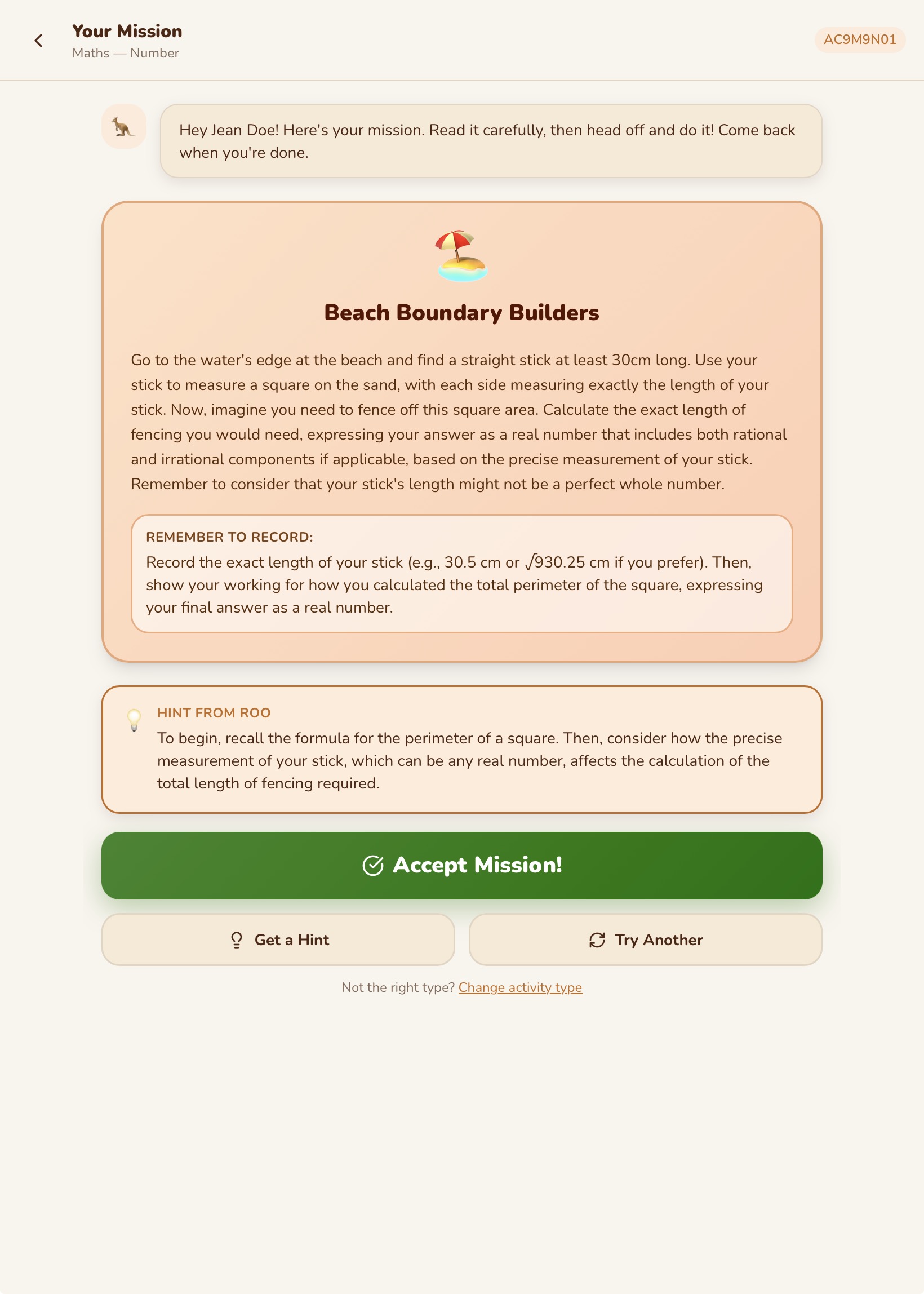
Foundation to Year 10. Every age. Every level. One app.
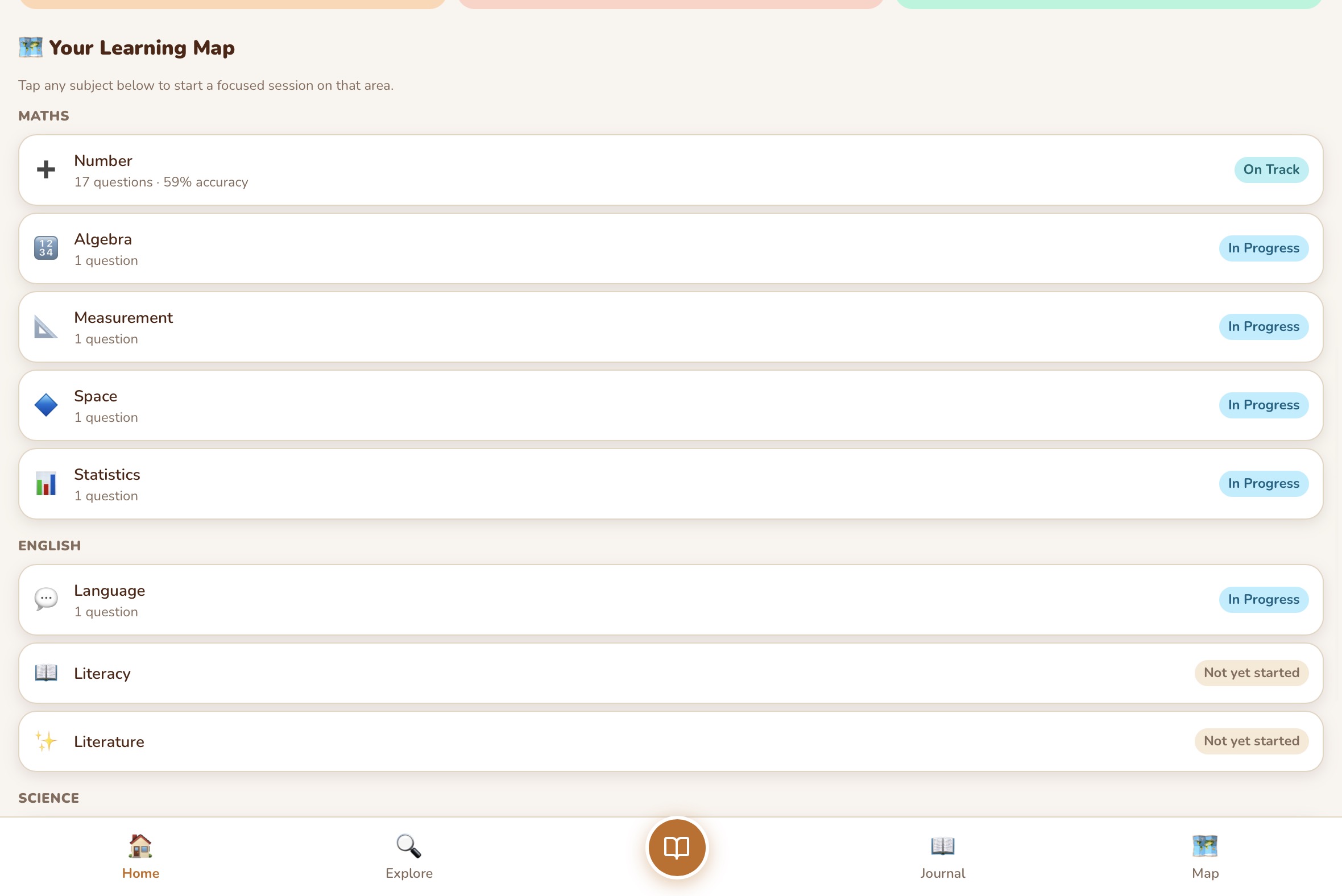
They move at their own pace — not the classroom's
There are no year-level gates in Roamschool. A child does not move to the next level because the calendar says it is time. They move when they are genuinely ready.
When a child reaches Extending in a strand, Roamschool automatically advances them to the next level of content — harder questions, new concepts, deeper material. This happens strand by strand, subject by subject.
This means a child who is naturally strong in Maths moves faster in Maths. A child who needs more time in English gets more time in English. No child is held back. No child is pushed ahead before they are ready.
Learning that fits where you are right now
Roamschool has three session modes. You choose based on where your family is at that moment — and the app adapts everything to suit.
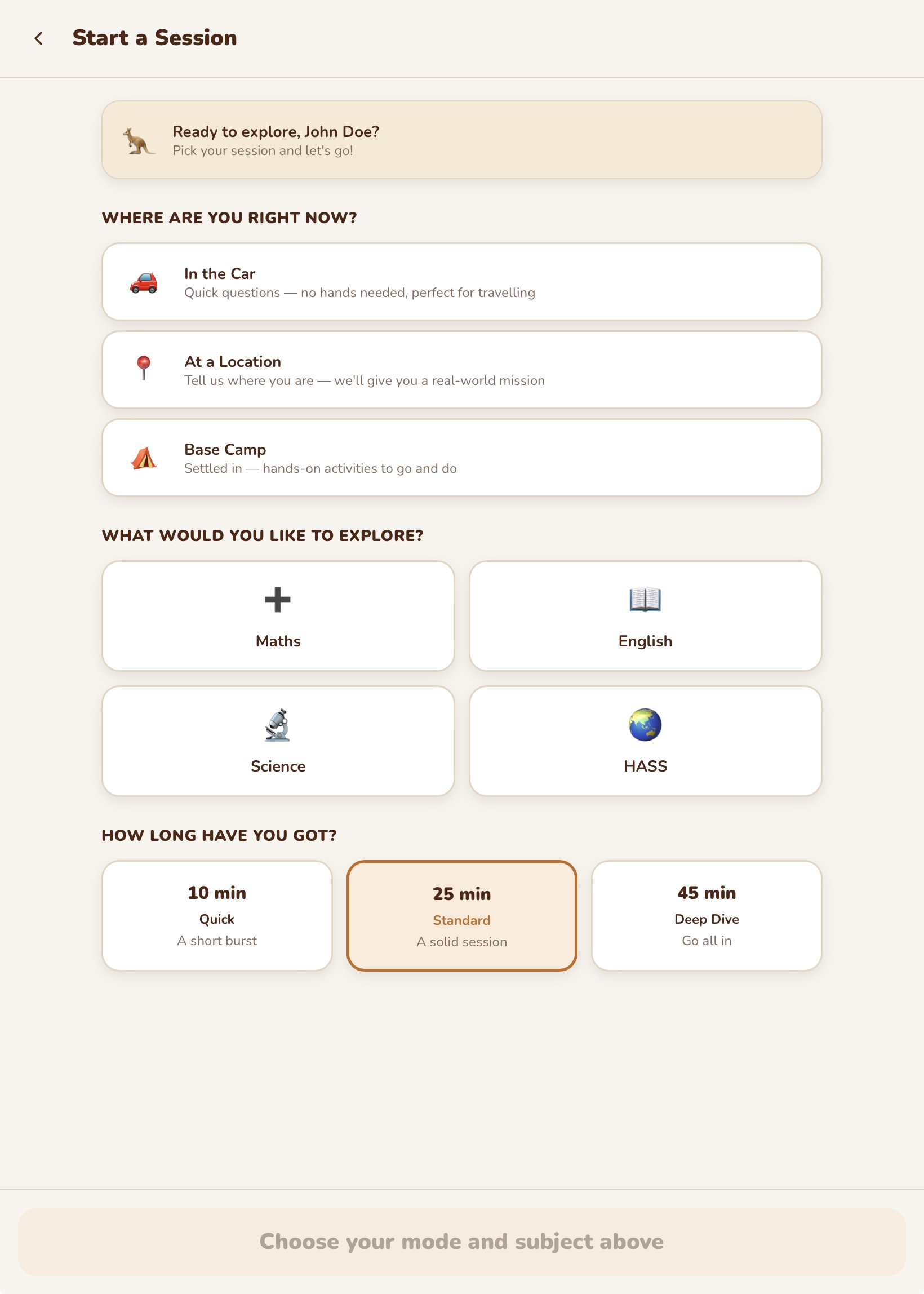
Session Selection
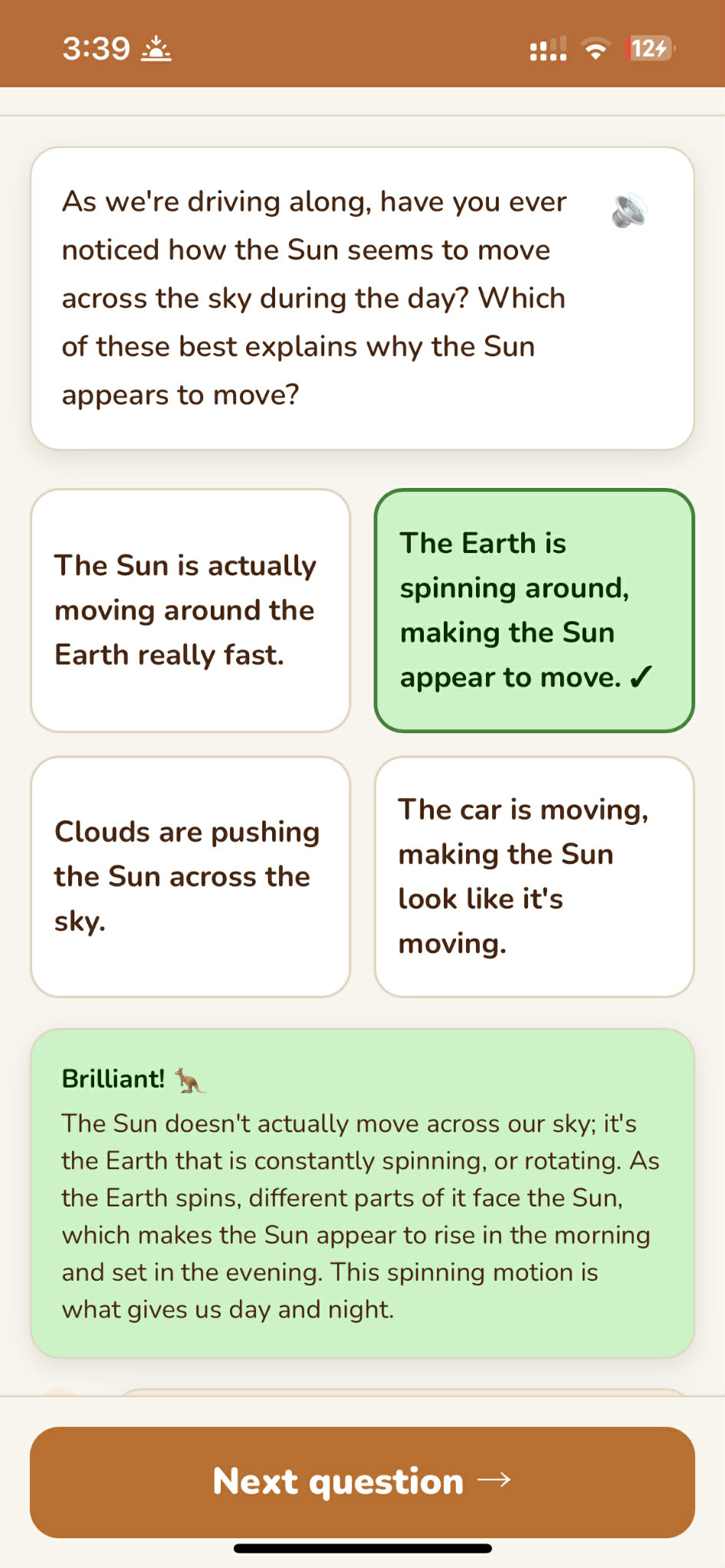
In the Car
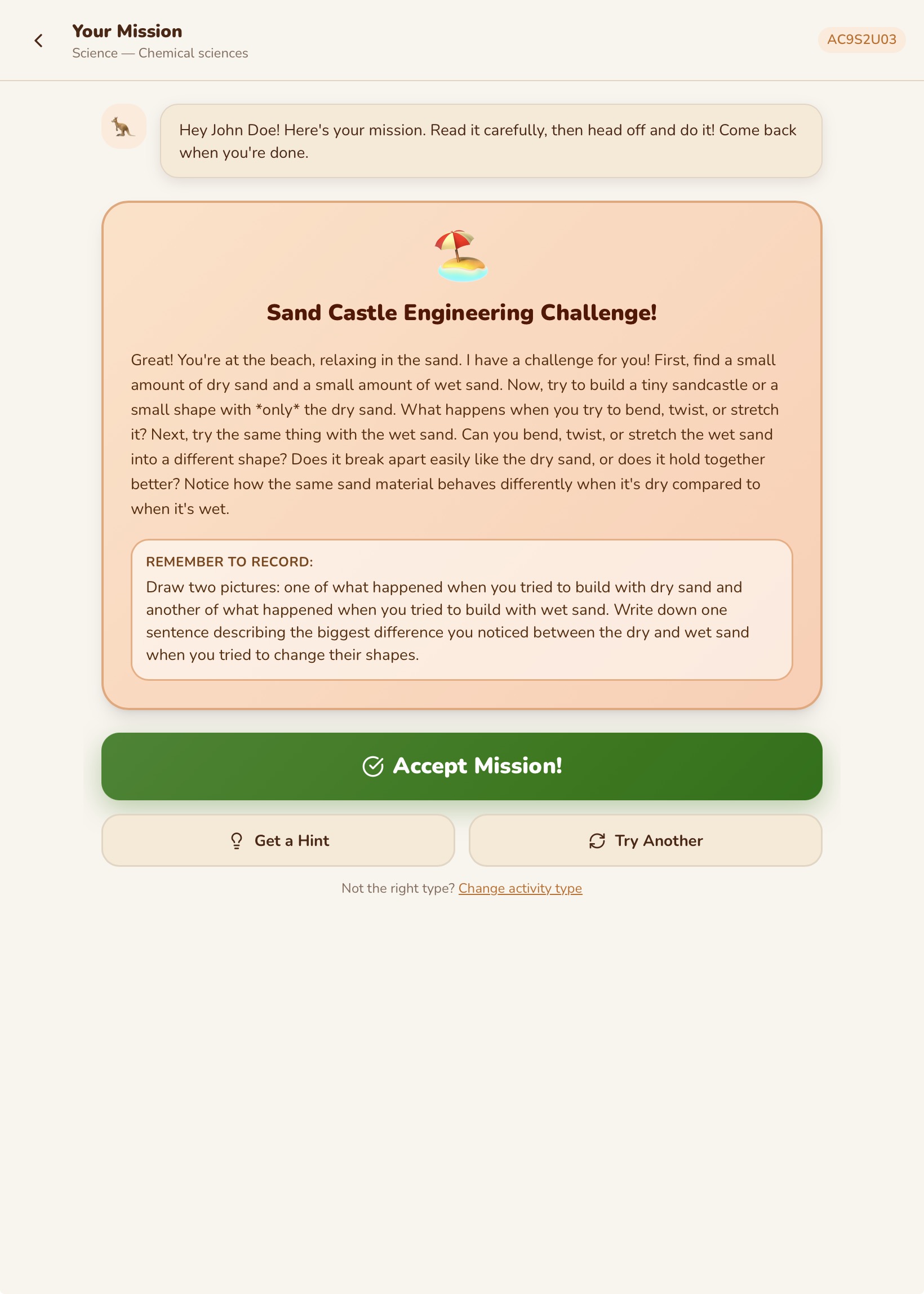
At a Location
Real missions. Real learning. Real adventures.
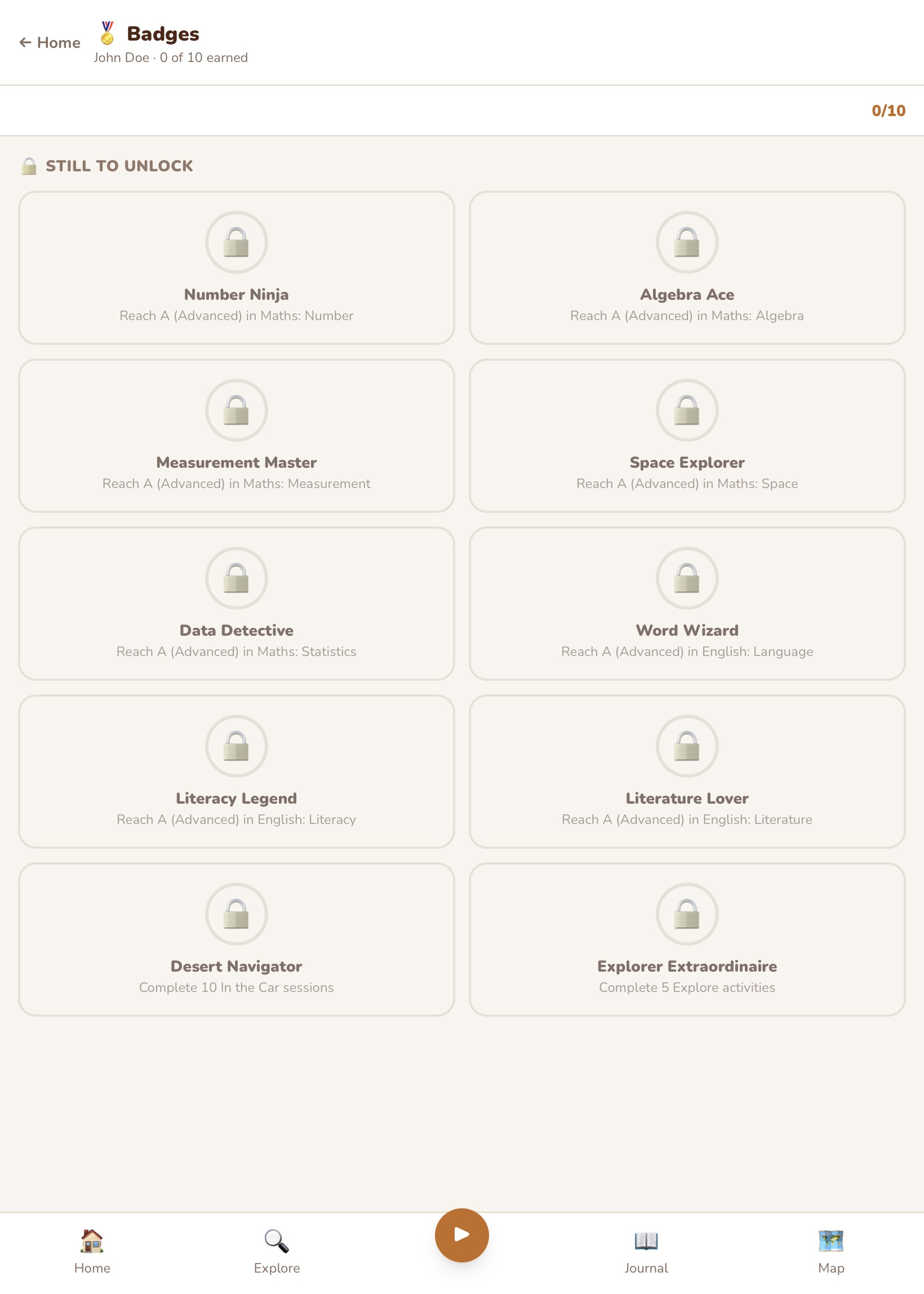
Missions are one of the most exciting parts of Roamschool. The AI tutor generates a real-world mission based on your child's curriculum level and where they are.
- Practical Missions — go outside and do something hands-on, then report back.
- Bookwork Missions — structured desk-based activities for when the weather is bad.
- Quiz Missions — question-by-question revision that works anywhere.
Missions are saved so children can come back to them. Completed missions earn points and feed into the travel journal.
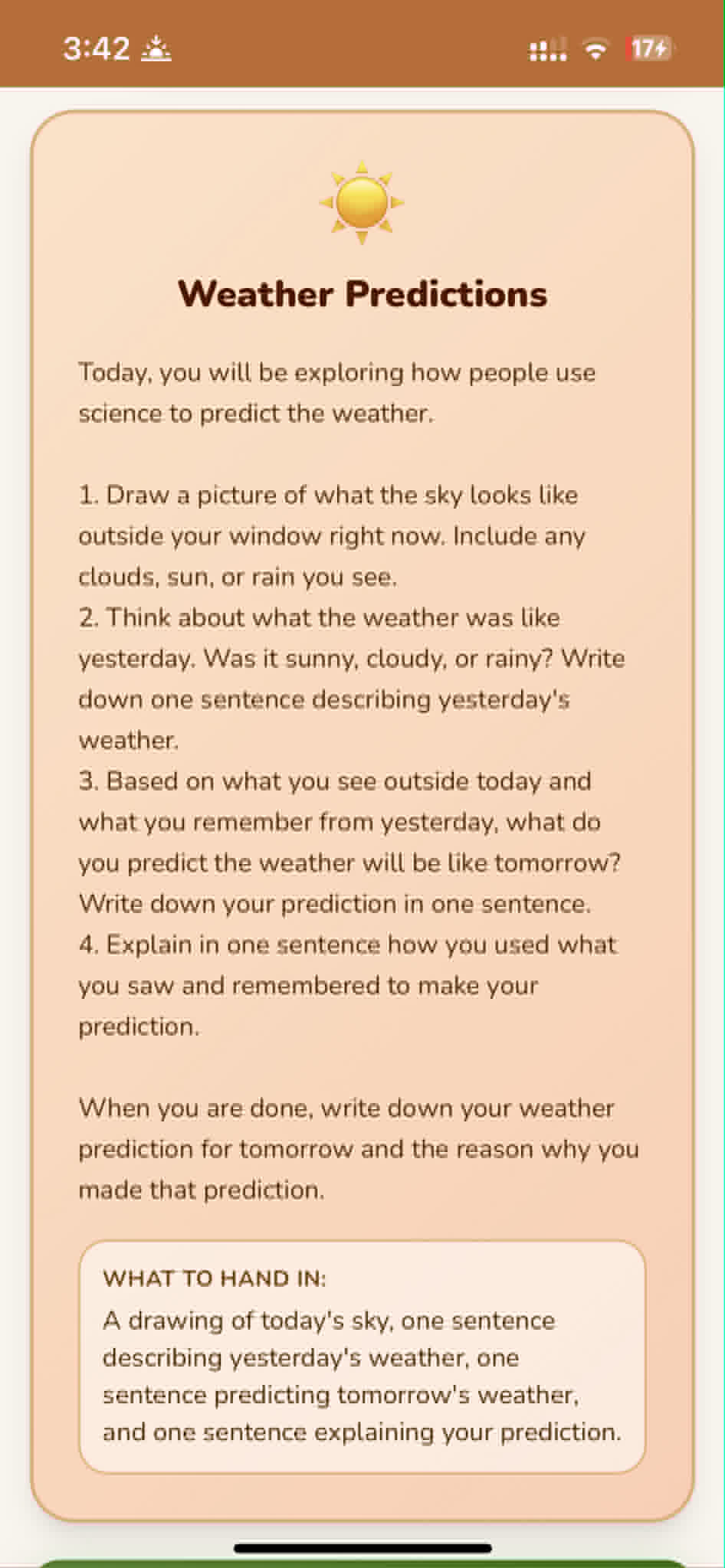
Bigger ideas. Deeper learning. Real feedback at every step.
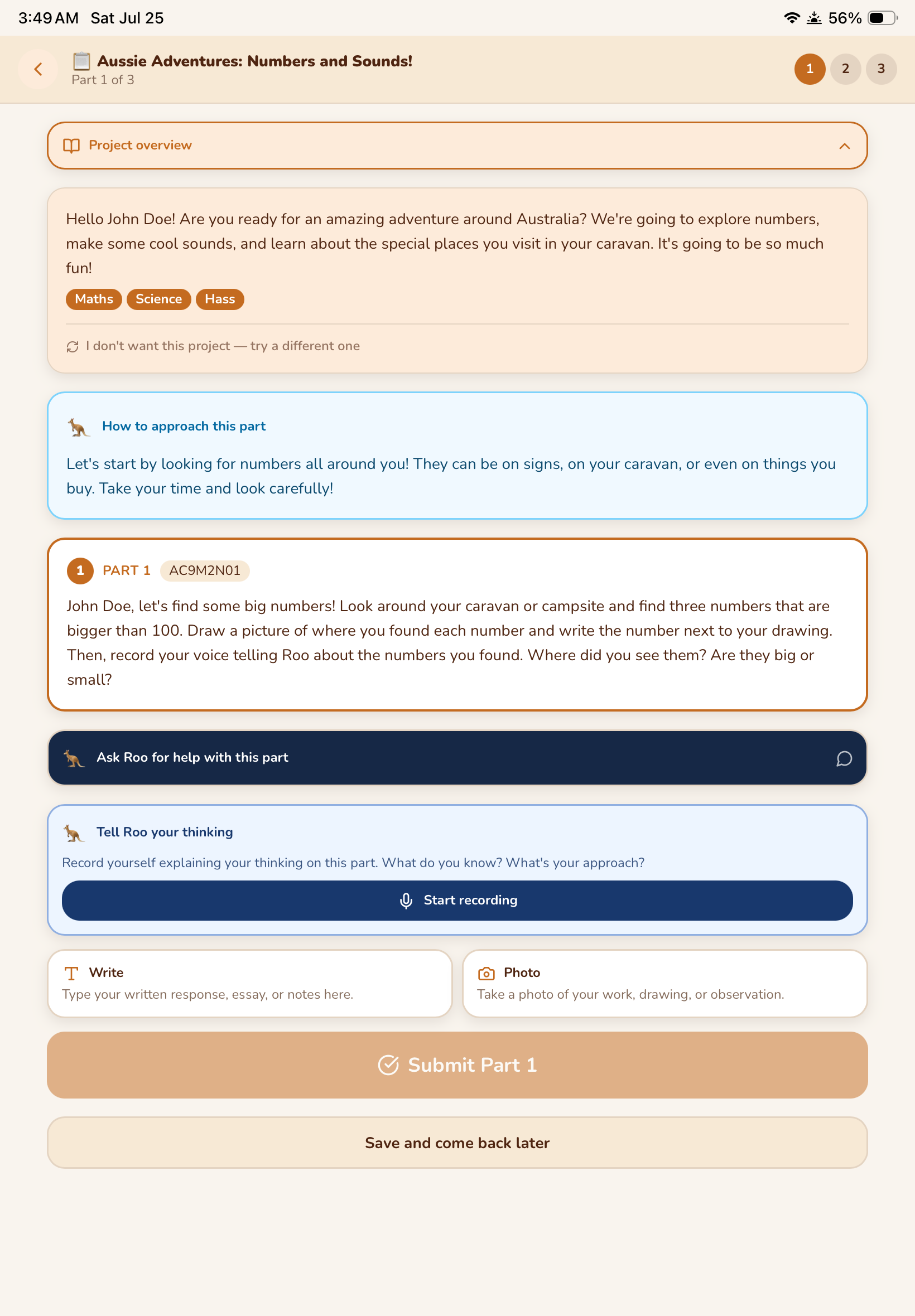
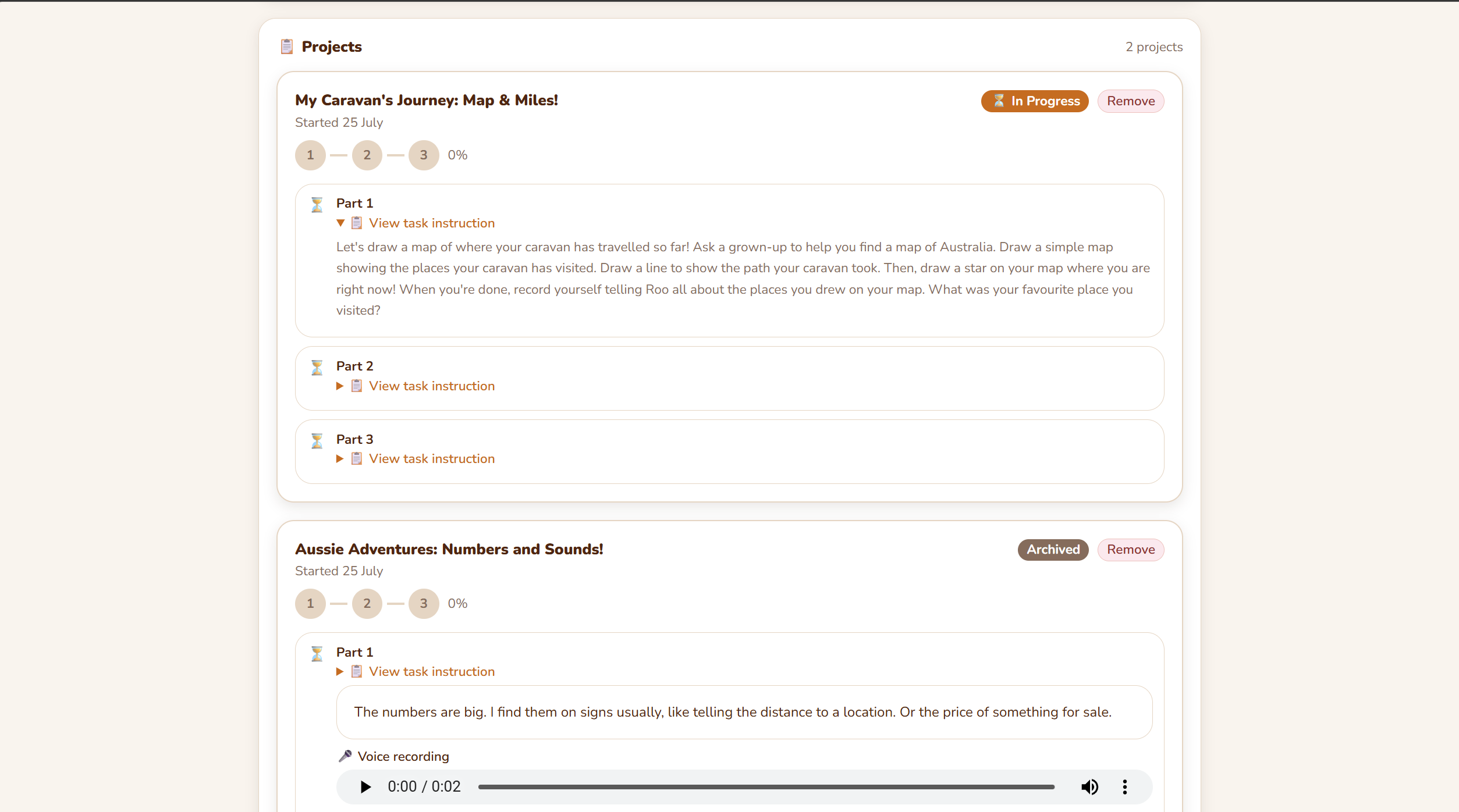
Projects are longer-form, inquiry-based learning experiences that connect to your child's travels. The AI tutor helps your child choose a topic — often tied to where they are or where they are going — and then structures it into sections that build on each other.
Their adventure, in their own words
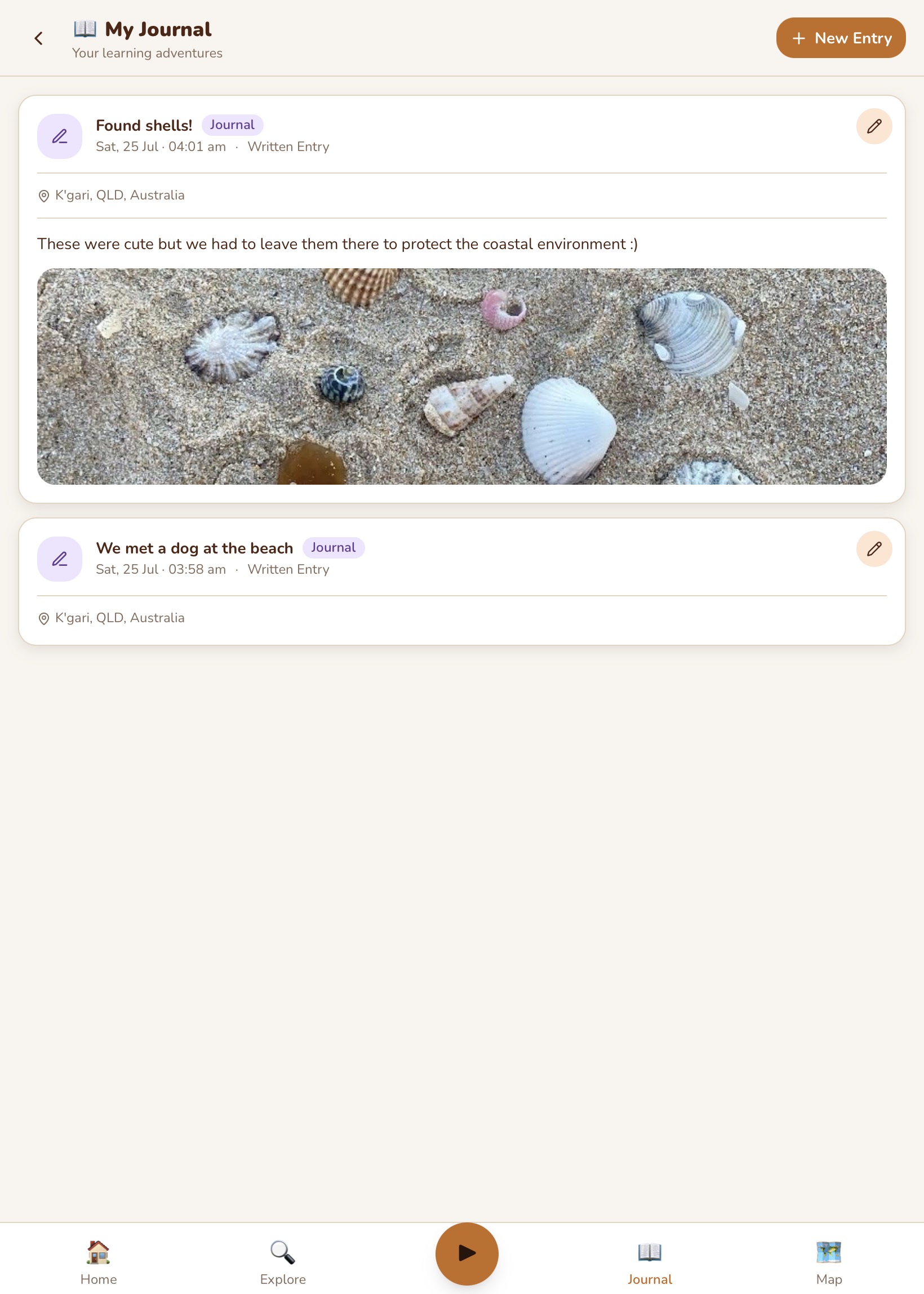
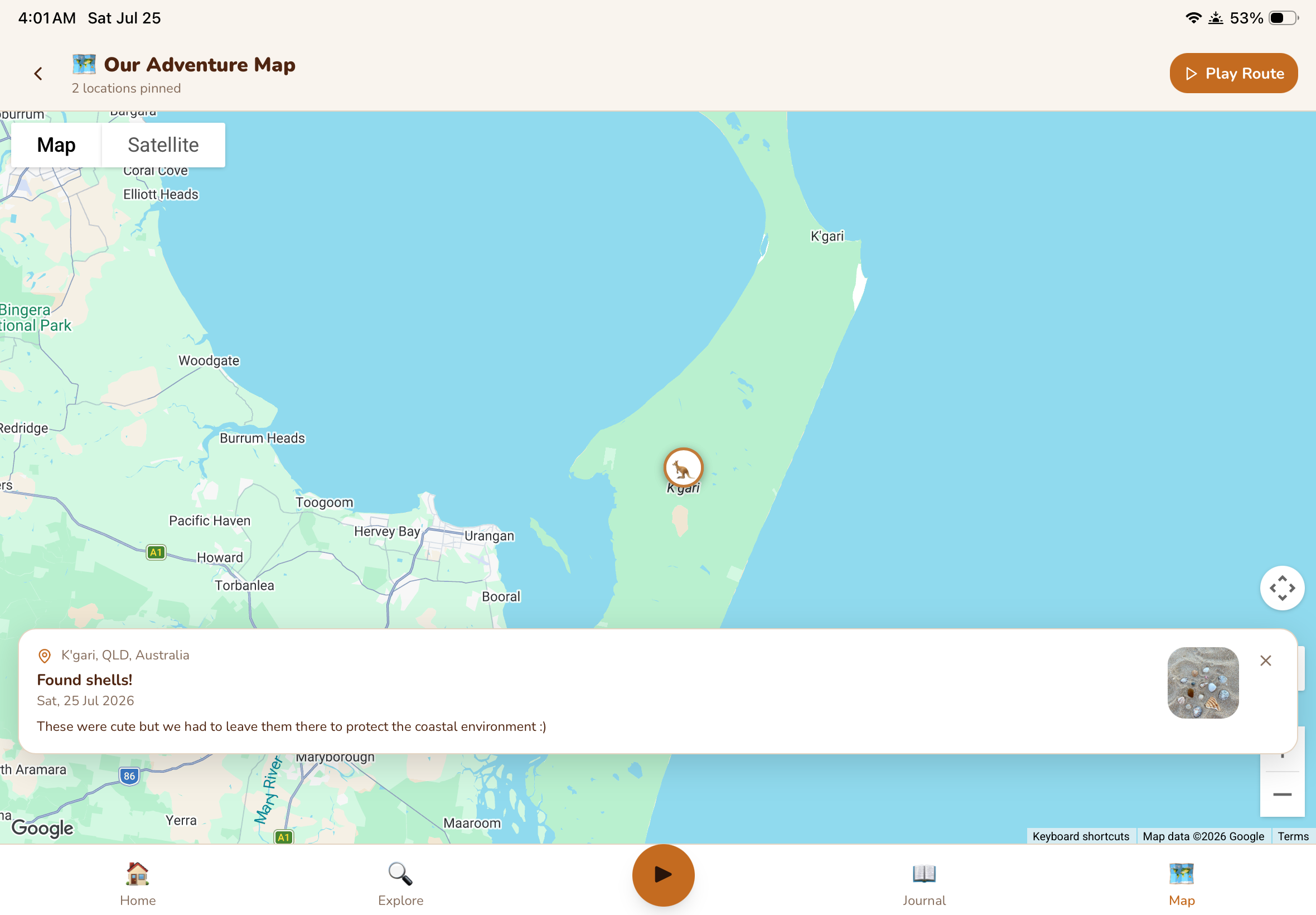
The journal is your child's personal record of the trip. They write entries, add photos, and describe what they have seen and done. It is not a school exercise — it is theirs. Over time it becomes a beautiful record of the whole journey.
Journal entries are pinned to the adventure map, so as the trip progresses the map fills up with their story. When they look back at the map months later, they can see everywhere they have been and read what they wrote at each place.
Point. Discover. Learn.
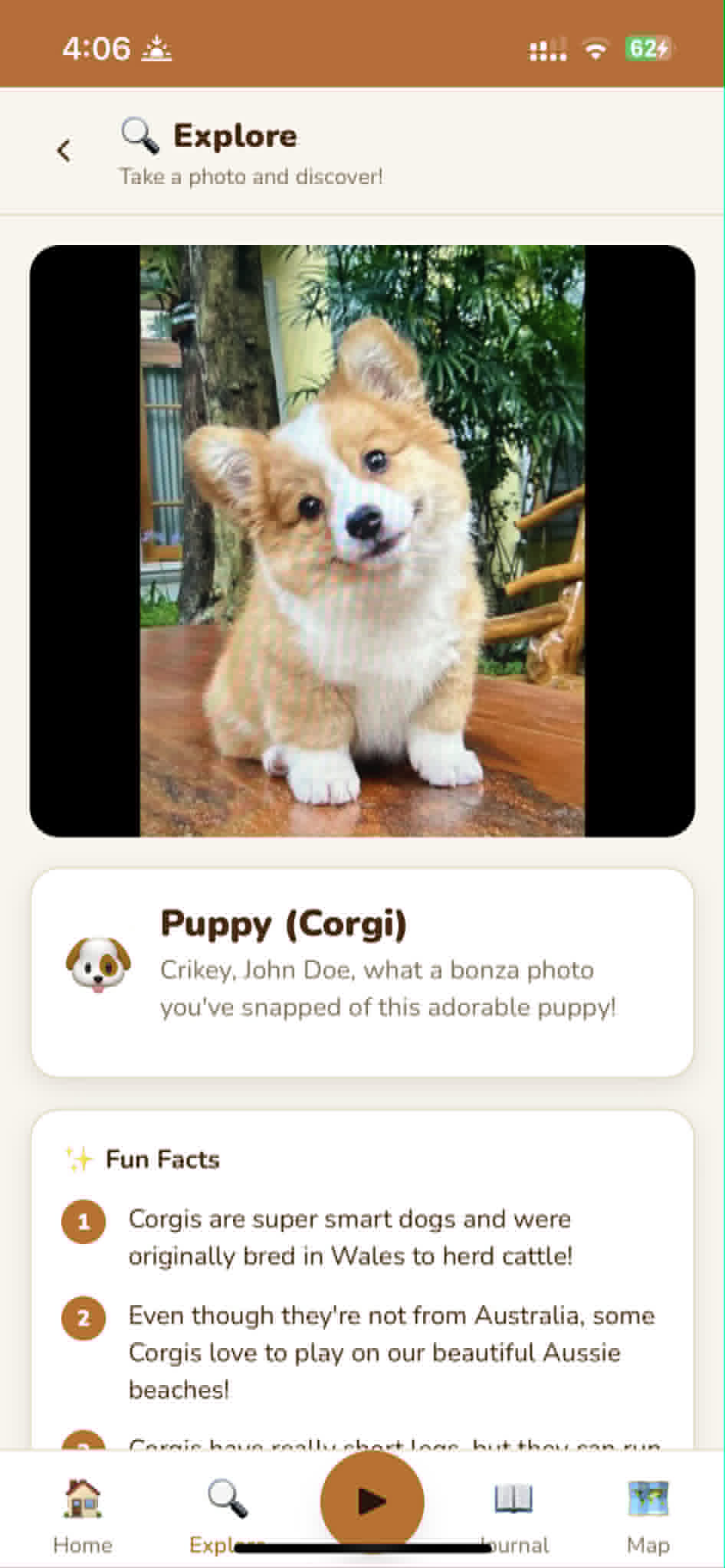
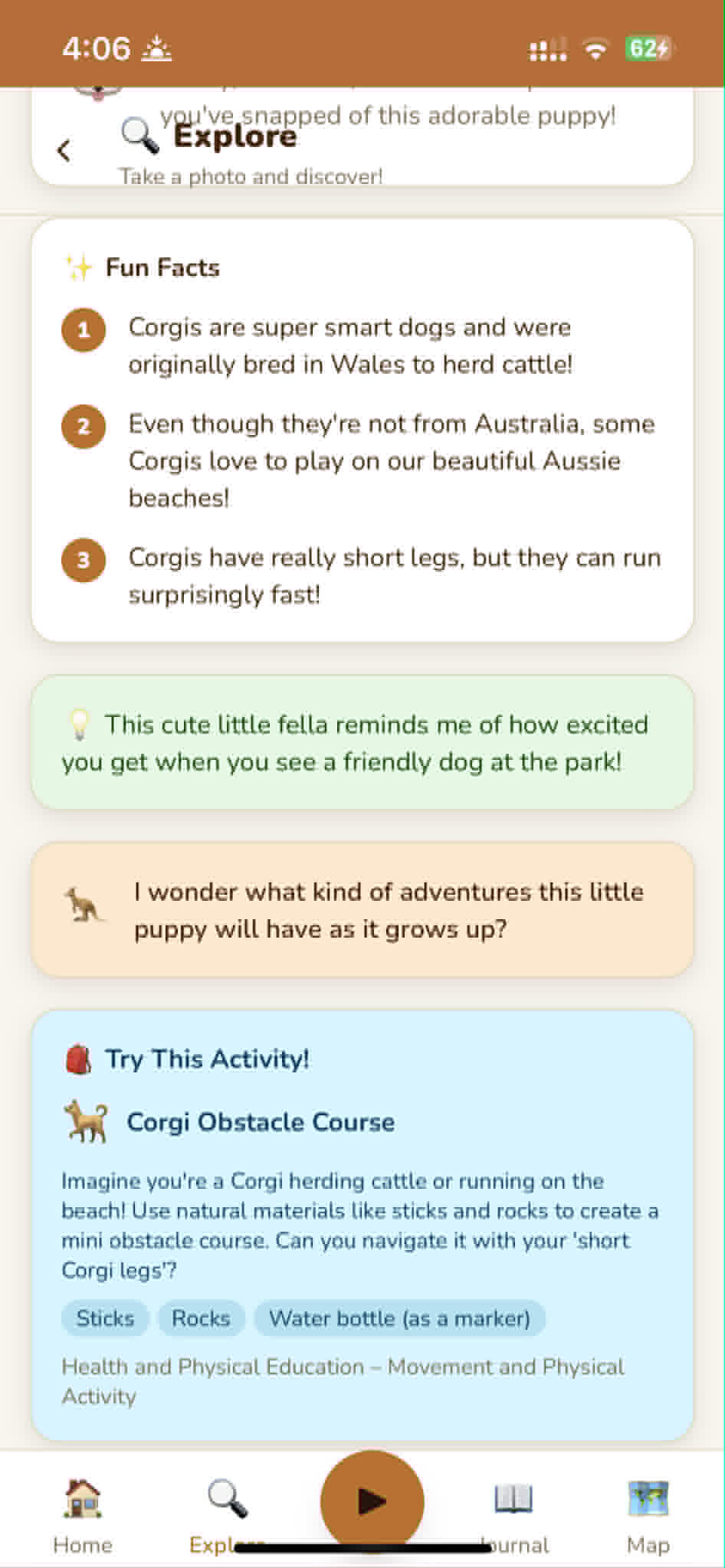
The Explore feature turns the world around your child into a learning tool. They point their camera at something — a bird, a plant, a rock formation, an insect, a building — and Roamschool identifies it and generates educational content about it, connected to their curriculum level.
Explore turns every stop on the trip into a learning moment — without any planning from the parent.
Learning that feels like play
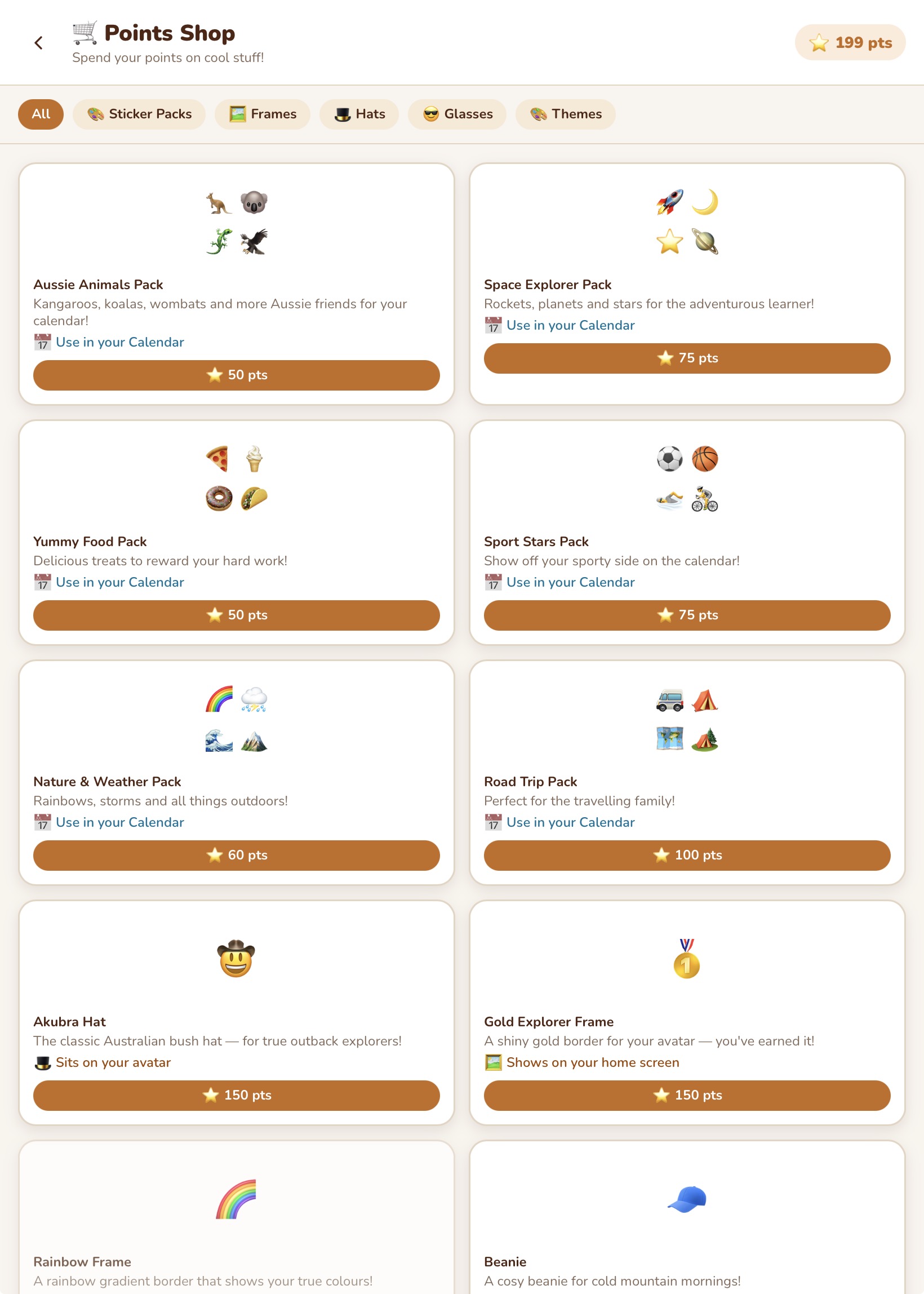
Roamschool includes puzzles, drawing tools, and a points shop — because learning should feel rewarding, not like a chore.
Children earn points for completing activities, answering questions correctly, and finishing missions. They spend those points in the shop on cosmetic items — avatar frames, sticker packs, and home screen themes. Everything is earned through learning. Nothing is available for real money. Nothing is pay-to-win.